
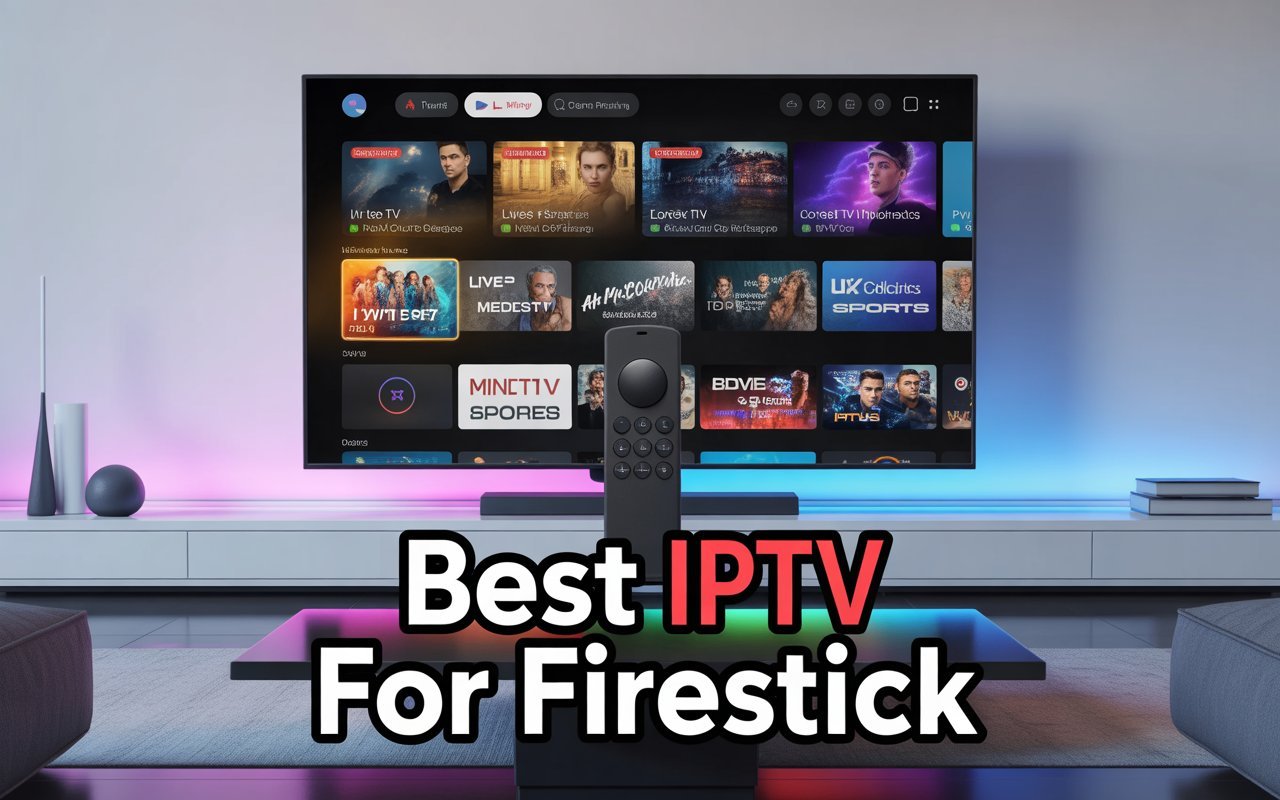
You just bought an Amazon Firestick. It’s sleek, powerful, and transforms your dumb TV into a smart entertainment hub. But after scrolling through Netflix, Hulu, and Prime Video, you realize the monthly subscriptions are stacking up faster than you can watch them. This is usually the moment Firestick owners start whispering about IPTV.
IPTV, or Internet Protocol Television, is a technology that delivers television content over the internet rather than through traditional terrestrial, satellite, or cable formats. For Firestick users, it represents a golden ticket to thousands of channels, movies, and sports events, often at a fraction of the cost of cable.
But the market is flooded. A quick search reveals hundreds of providers promising “buffer-free” streaming and “unlimited” channels. How do you separate the legitimate services from the scams? This comprehensive guide will walk you through everything you need to know to find the best IPTV for Firestick, ensuring your streaming experience is smooth, high-quality, and, most importantly, secure.
What to Consider When Choosing IPTV for Firestick
Not all IPTV services are created equal. The difference between a premium experience and a frustrating night of buffering often comes down to a few key technical and service-based factors. Before you hand over your credit card details, scrutinize potential providers against these criteria.
Compatibility with Fire OS
First and foremost, the service must play nicely with Amazon’s operating system. While Fire OS is based on Android, it has its own quirks. The best IPTV providers offer a dedicated app optimized for Firestick remotes. If a provider only offers a web-based player or a clumsy mobile app that requires a mouse toggle to navigate on your TV, walk away. You want an interface designed for the “10-foot experience” big buttons, easy scrolling, and intuitive navigation.
Stream Quality and Stability
There is nothing worse than your stream freezing right before a crucial goal in a football match or the climax of a movie. Look for providers that explicitly state their support for HD (1080p) and 4K resolution. However, resolution claims are easy to make. The real test is stability. Does the provider have enough server capacity to handle peak traffic times (like Saturday night sports)? User reviews and trial periods are your best friends here.
Channel Lineup and Content Variety
Quantity isn’t everything, but it helps. A robust IPTV package should offer a mix of:
- Live TV: Local and international news, entertainment, and lifestyle channels.
- Sports: Essential for many, this should include major networks and pay-per-view event access.
- VOD (Video On Demand): A library of movies and TV series that you can watch anytime, functioning similarly to Netflix.
- Catch-up TV: The ability to watch programs you missed from the last 24 to 72 hours.
Ease of Installation and User Interface
If you need a degree in computer science to install the app, it’s not the best IPTV for Firestick users. The process should be straightforward, usually involving the “Downloader” app or a simple code. Once inside, the Electronic Program Guide (EPG) needs to be clean and responsive. A slow, clunky EPG that takes seconds to load channel information will ruin the experience quickly.
Reliability and Uptime
Providers often boast “99.9% uptime,” but reality can differ. Reliability involves more than just the server staying on; it includes how quickly channels load (zapping speed) and the absence of looping (where a few seconds of video repeats itself).
Price and Subscription Plans
Pricing varies wildly. You might find services for $5 a month and others for $25. Be wary of “lifetime” subscriptions. The IPTV landscape changes rapidly; a service working today might be gone tomorrow. Monthly or quarterly plans are generally safer bets than locking yourself into a multi-year contract with an unverified provider.
Customer Support and Connections
When things go wrong and with streaming technology, they occasionally will you need help. Does the provider offer 24/7 chat support, a Discord community, or just a generic email address? Also, check how many “connections” are allowed. A single connection means you can only watch on one device at a time. If you want to watch in the living room while the kids watch in their bedroom, you’ll need a multi-connection plan.
Types of IPTV Providers & Services
Understanding the landscape helps manage expectations. IPTV services generally fall into a few distinct categories, each with its own risk and reward profile.
Free vs. Paid IPTV Services
It is tempting to look for free lists. These M3U playlists are scattered across the internet, accessible to anyone. The downside? Everyone uses them. This massive traffic load leads to constant buffering and streams that go offline without warning. Free services are fine for testing the waters, but for a reliable daily driver, a paid subscription is necessary to cover server costs and maintenance.
Legal vs. Unverified Services
This is the most critical distinction.
- Verified/Legal Providers: Services like Sling TV, Hulu + Live TV, YouTube TV, and Philo. These companies own the rights to the content they broadcast. They are available directly from the Amazon App Store, offer high stability, and are 100% legal. The trade-off is price; they are more expensive than unverified options.
- Unverified Providers: These services are not available in the official app store and must be sideloaded. They offer thousands of channels for a very low price. The legality of these services falls into a grey area depending on copyright laws in your region, as they may not hold proper licensing for all the content they stream.
Package Variations
Beyond legality, services differentiate by content focus. Some are “sports-centric,” prioritizing stable connections for live events but offering a weak movie library. Others are “VOD-heavy,” acting more like a massive digital video store. Knowing what you watch most live sports vs. movies will dictate which provider is the “best” for you.
How to Install IPTV on Firestick: A Step-by-Step Guide
Since many IPTV apps aren’t in the Amazon App Store, you’ll likely need to “sideload” them. Don’t worry; it sounds more technical than it is. Here is the standard process for most IPTV services.
Step 1: Prepare Your Firestick
By default, Amazon prevents you from installing apps from outside their ecosystem for security reasons. You need to grant permission.
- From the Firestick Home screen, go to Settings (the gear icon).
- Select My Fire TV.
- Choose Developer Options. (If you don’t see this, click on About, then click on your device name 7 times fast to unlock Developer Mode).
- Turn on Apps from Unknown Sources.
- You may also want to turn off ADB Debugging unless you specifically need it.
Step 2: Get the Downloader App
This is the bridge between your Firestick and the installation files.
- Go back to the Home screen and select Find or the Search icon.
- Type “Downloader”.
- Select the orange app named Downloader and click Get or Download.
Step 3: Install the IPTV App
Most providers will give you a URL or a “Short Code” (a 5-6 digit number) to enter into Downloader.
- Open Downloader.
- Enter the URL or Short Code provided by your IPTV service in the URL bar.
- Click Go. The APK file (Android Package Kit) will begin downloading.
- Once finished, a prompt will appear. Click Install.
- After installation, click Done (not Open).
- You will be back in the Downloader app. Click Delete to remove the installation file. You don’t need it anymore, and it saves space on your Firestick.
Step 4: Login and Configure
Go to your Apps & Channels list to find your new IPTV app. Open it and enter your username and password (or M3U URL) provided by the service.
- Pro Tip: If the built-in video player buffers or has audio-sync issues, go to the app settings and change the default player to an external one like VLC Player or MX Player. You can download these for free from the Amazon App Store. They often handle video codecs better than the native players built into IPTV apps.
Recommended Features for the “Best” Experience
When you are evaluating a service, look for these specific features that separate the mediocre from the excellent.
Electronic Program Guide (EPG):
A list of channels is useless if you don’t know what is playing. A high-quality EPG updates automatically and shows you exactly what is on now and what is coming up next, similar to a traditional cable guide.
Multi-Screen / Multi-View:
Some powerful IPTV apps allow you to watch 2 or 4 channels simultaneously on a split screen. This is a game-changer for sports fans who want to track multiple games at once.
Catch-Up Functionality:
Look for a small clock icon next to channels in the guide. This indicates catch-up availability. It allows you to rewind live TV or play a show that aired hours ago without needing to record it manually.
Favorites Manager:
With thousands of channels, scrolling becomes tedious. The best IPTV for Firestick should allow you to easily “heart” or “star” your favorite channels, creating a custom list that puts your most-watched content front and center.
Comparison of Popular IPTV Options
To help you navigate the market, here is a comparison of different tiers of service available for Firestick.
Tier 1: The Premium, Verified Choice (e.g., YouTube TV, Hulu + Live)
- Pros: 100% legal, incredible stability, high-quality apps in the Amazon Store, cloud DVR included.
- Cons: Expensive ($65+/month), fewer international channels, ads on some content.
- Best For: Users who want a hassle-free replacement for cable and don’t mind paying for reliability and legitimacy.
Tier 2: The Budget, Unverified Choice (e.g., Various “Private” Services)
- Pros: Extremely cheap ($10-$15/month), massive channel lists (often 10,000+), includes PPV sports and international content not found elsewhere.
- Cons: Setup requires sideloading, no customer support guarantees, potential for buffering during high-traffic events, legal grey area.
- Best For: Tech-savvy users who want maximum content for minimum price and are willing to troubleshoot occasional issues.
Tier 3: Free Apps (e.g., Pluto TV, Tubi)
- Pros: Completely free, legal, available in the Amazon Store.
- Cons: Ad-supported, no live sports (usually), limited selection of premium cable channels.
- Best For: Casual viewers who just want some background entertainment without a bill.
Tips for Safe and Smart IPTV Usage
Navigating the world of IPTV requires a bit of caution. Because the industry attracts bad actors looking to make a quick buck or steal data you need to protect yourself.
Avoid “Too Good to Be True” Offers
If a website looks like it was built in 1999 and promises “Lifetime Access to Everything for $20,” run. These are often scams that will take your money and disappear, or the service will shut down within weeks. Stick to monthly subscriptions until you trust the provider.
Use a VPN (Virtual Private Network)
This is arguably the most important safety tip. Internet Service Providers (ISPs) often throttle (slow down) connection speeds if they detect heavy streaming, leading to buffering. Furthermore, using unverified IPTV services can expose your IP address.
A high-quality VPN encrypts your connection, making your activity invisible to your ISP and potential hackers. It also allows you to bypass geo-restrictions if you are trying to watch content from a different country. When using IPTV on Firestick, a VPN is not just recommended; it is essential.
Payment Protection
Never hand over your credit card information directly to an unverified IPTV website unless they use a reputable payment processor (like PayPal). Many savvy users prefer to pay with cryptocurrency (Bitcoin) for anonymity, or use disposable virtual credit cards (like those offered by Privacy.com) to prevent recurring charges if the service turns out to be a scam.
Making the Right Choice
Finding the best IPTV for Firestick isn’t about finding the service with the most channels it’s about finding the balance between reliability, quality, and cost that fits your household.
For some, the peace of mind provided by a verified service like YouTube TV is worth the premium price tag. For others, the thrill of unlocking thousands of global channels for the price of a coffee is the ultimate win.
Before you commit, take advantage of free trials. Test the stream during peak hours. Check the sports channels while a game is live. Navigate the EPG to see if it frustrates you. By doing your due diligence and following the safety steps outlined above, you can unlock a world of entertainment that makes traditional cable look like a relic of the past.
Disclaimer: We do not host, provide, or verify the licensing of any IPTV services or content. This guide is for educational purposes only. Users are responsible for ensuring they comply with all local laws and copyright regulations regarding streaming content.